Install dems on your phone
Takes a minute. No app store needed.
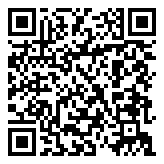 Install it from your phone.
Point the camera here and dems opens.
-
Step 1
Open dems in Safari
-
Step 2
Tap the three dots, then Share, then View More
-
Step 3
Choose “Add to Home Screen”
-
Step 4
Tap the dems icon
-
Step 5
Allow notifications so you don’t miss a review
-
Done
dems is on your home screen
 dems
 dyadya fedor
-
Step 1
Open dems in Safari
-
Step 2
Tap Share at the bottom of the screen
-
Step 3
Choose “Add to Home Screen”
-
Step 4
Tap the dems icon
-
Step 5
Allow notifications so you don’t miss a review
-
Done
dems is on your home screen
-
Step 1
Open dems in Chrome
-
Step 2
Open the menu
-
Step 3
Tap “Install app”
-
Step 4
Tap the dems icon
-
Step 5
Allow notifications so you don’t miss a review
-
Done
dems is on your home screen